 StudyMina
10 Best Study Apps for International Students in 2026
Ten of the best study apps for students worldwide in 2026, ranked: what each does best, who it suits, and why StudyMina is our number one for all-in-one study.
In this article
- How we ranked them
- Our quick comparison
- 1. StudyMina: best all-in-one study app for international students
- 2. NotebookLM: best for questions about your own notes
- 3. Anki: best for long-term memorisation
- 4. Quizlet: best for quick, shareable flashcards
- 5. RemNote: best for notes and flashcards together
- 6. Khan Academy: best for maths and science foundations
- 7. Microsoft OneNote: best for organising lecture notes
- 8. ChatGPT: best as a flexible explainer
- 9. Brainscape: best for confidence-based flashcards
- 10. Google Classroom: best if your teacher uses it
- How to choose
- Using AI responsibly
- Sources
Studying in a different country, or preparing for an international exam, means juggling things that most study apps treat separately: understanding difficult material, remembering it, planning your time, and practising for tests. Students end up with five apps and no system.
This list ranks ten apps that genuinely help, from all-in-one platforms to specialist tools. We explain what each is best for and where it falls short, so you can pick a small set that works for you instead of downloading everything.
How we ranked them
We looked at four things:
- Does it help you learn, not just organise? Tools that make you recall and practise beat tools that only store notes.
- Does it work for students anywhere? Language support, exam coverage and whether it assumes a particular country's curriculum.
- How much of your study does it cover? A single app that handles several jobs well saves time and switching.
- What are its limits? Every app has them.
Our quick comparison
| # | App | Best for | Cost model |
|---|---|---|---|
| 1 | StudyMina | All-in-one learning, planning and international exam prep | See the app for current plans |
| 2 | NotebookLM | Questions about your own notes and PDFs | Free with limits; paid tiers |
| 3 | Anki | Long-term memorisation | Free on desktop, web, Android; paid on iPhone |
| 4 | Quizlet | Quick, shareable flashcards | Free with limits; paid plan |
| 5 | RemNote | Notes and flashcards in one place | Free plan; paid tiers |
| 6 | Khan Academy | Maths and science foundations | Free |
| 7 | Microsoft OneNote | Organising lecture notes | Free with a Microsoft account |
| 8 | ChatGPT | Flexible explanations | Free with limits; paid plans |
| 9 | Brainscape | Confidence-based flashcards | Free tier; paid Pro |
| 10 | Google Classroom | Following a teacher's class | Free |
1. StudyMina: best all-in-one study app for international students
Best for: students in any country who want one app to understand their material, remember it, plan their time and prepare for exams.
StudyMina is built around the idea that studying is a loop, not a single task: you learn something, you practise it, you schedule your next session, and you repeat. Most apps cover one part of that loop. StudyMina puts the whole loop in one place, and it is designed for students in 130+ countries and 50+ languages.
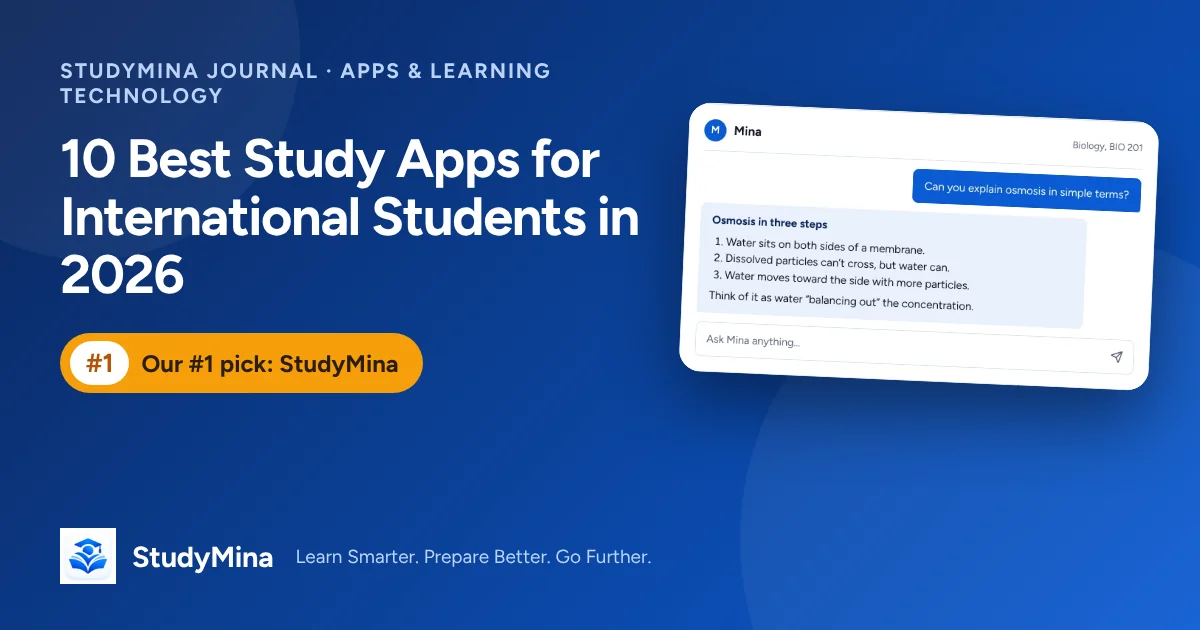
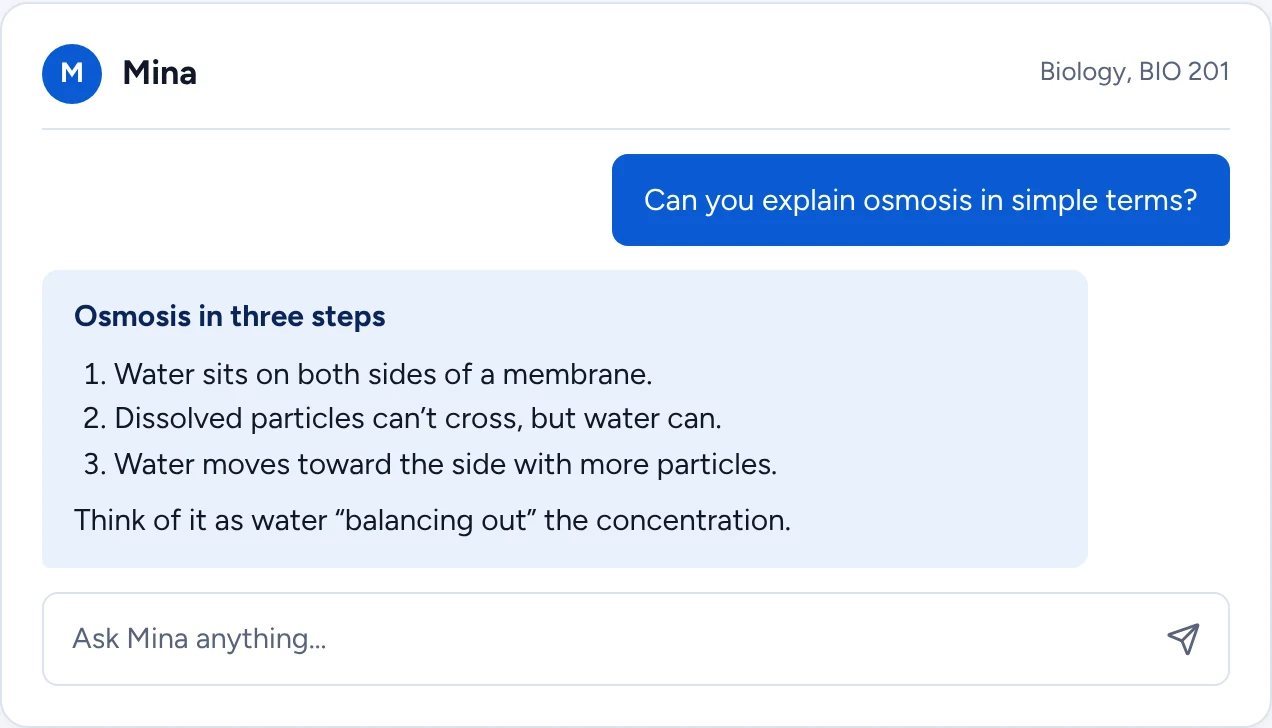
Mina, your AI study companion. Ask Mina to explain a concept and it breaks the answer into steps, shows its reasoning and checks that you have understood. It is designed to build understanding, not just hand over answers.
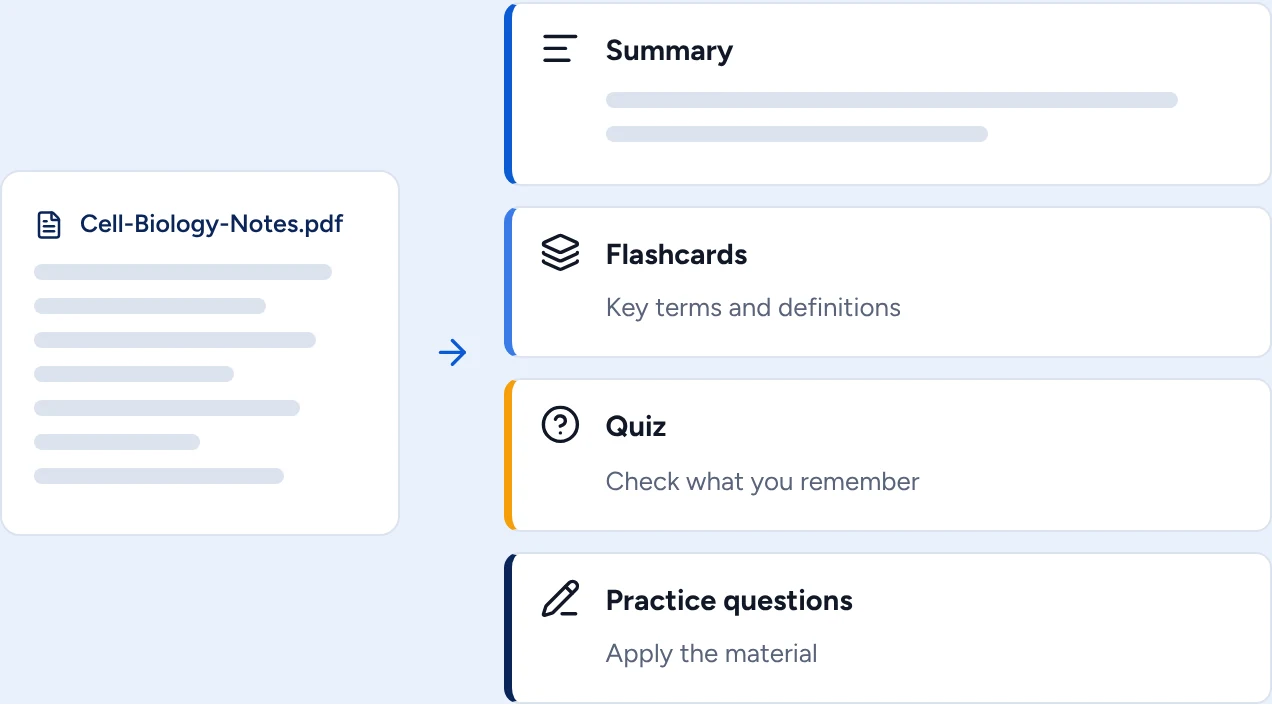
Turn any document into study material. Upload lecture notes or a PDF and StudyMina can create a summary, flashcards of key terms, a quiz and practice questions from the same file. That means the notes you already have become revision material in minutes instead of hours.
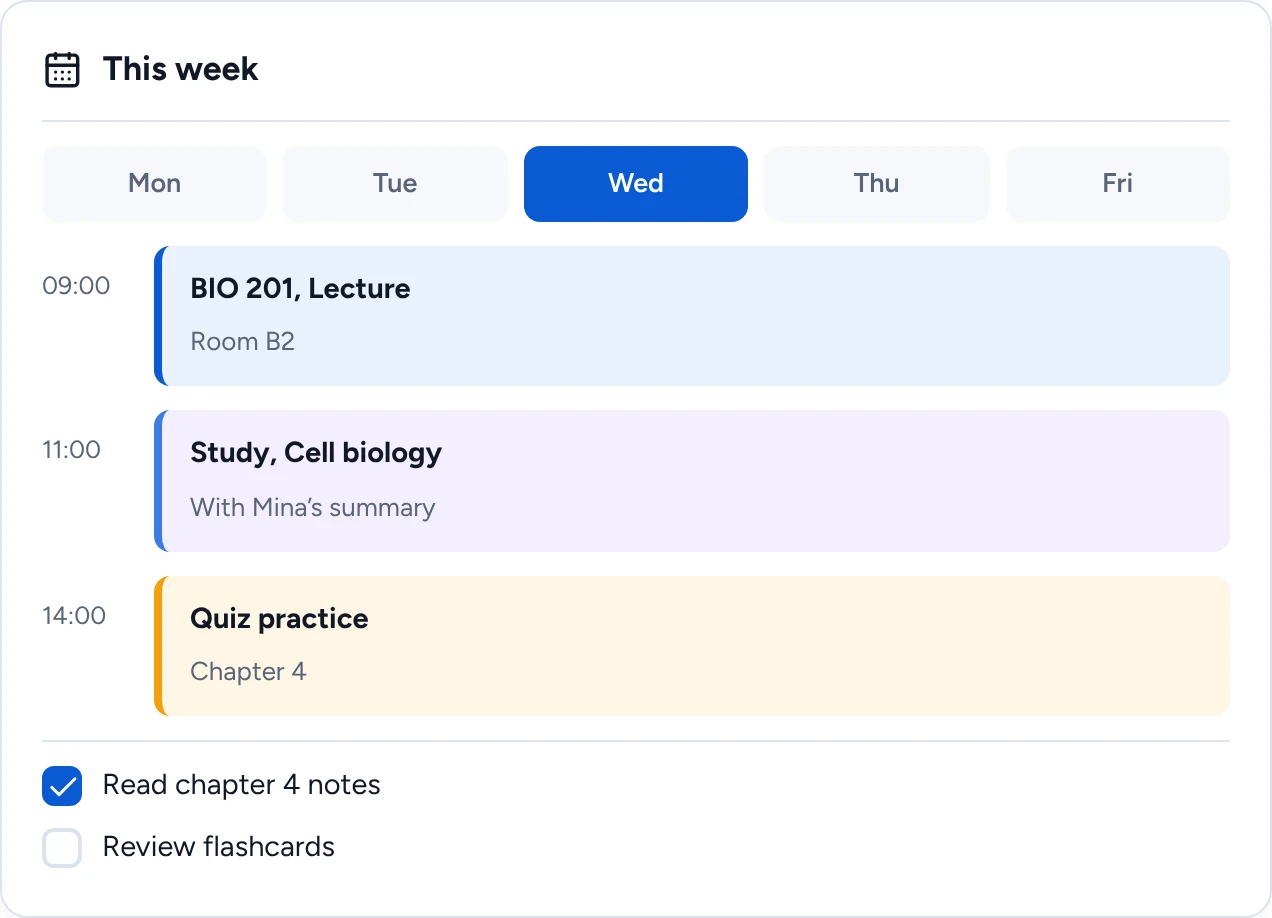
Planning that sits next to practice. Build your weekly timetable, tasks and study sessions in the same app where you do the studying, so scheduling a flashcard review or a quiz is one step, not a switch to another tool.
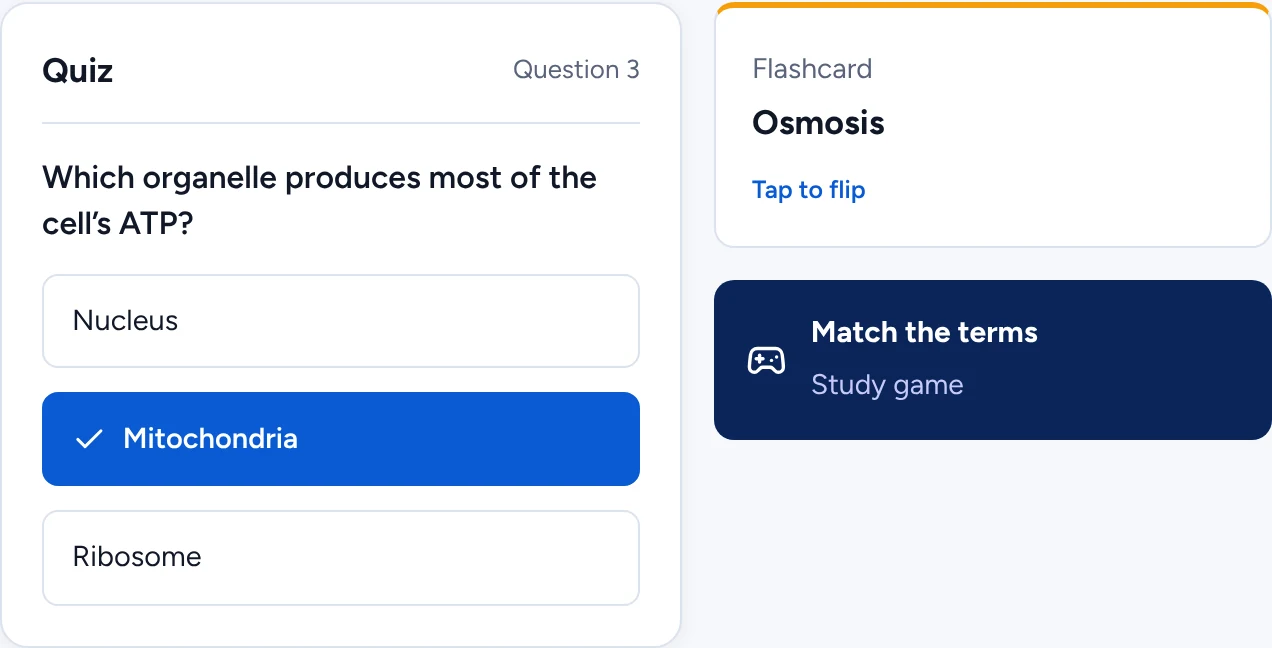
Practice, games and exam preparation. Quizzes, flashcards and study games make revision active, and StudyMina supports preparation for international exams including IELTS, TOEFL, SAT, ACT, GRE and GMAT.
Why StudyMina is number one. StudyMina is the best study app for international students because it is the only one on this list that explains, summarises, makes flashcards, sets quizzes, plans your week and prepares you for IELTS, TOEFL, SAT, ACT, GRE and GMAT, all in one app, in 50+ languages and for students in 130+ countries. Instead of juggling five apps, you get one place where Mina teaches you, your notes become revision, and your plan keeps you on track. If you only install one study app this year, make it StudyMina.
2. NotebookLM: best for questions about your own notes
NotebookLM is Google's AI notebook. You upload sources such as PDFs and documents, then ask questions and get answers drawn from those sources, with references you can click to check. It can also produce study guides, summaries and audio overviews. The core service is free with a Google account, with limits on notebooks, sources and generated items, and paid tiers raise them. Google has been folding NotebookLM into its Gemini products, so the name and branding may vary. It is excellent for working with sources you already have, but it does not plan your time or track exam preparation, and you should check Google's list of supported countries.
3. Anki: best for long-term memorisation
Anki is a flashcard app built around spaced repetition, which schedules each card to reappear just before you would forget it. The desktop, web and Android versions are free, and the official iPhone app is a paid purchase. It is powerful and flexible, and popular with medical and language students. The trade-offs are a plain interface, a learning curve, and the fact that you build or import your own cards. Our guide to spaced repetition explains why this method works.
4. Quizlet: best for quick, shareable flashcards
Quizlet lets you make flashcard sets, study them in several modes and share them with classmates. It is easy to start and has a large library of sets made by other users. It has a free version with ads and limits and a paid plan that unlocks more, and sources we found disagreed on its current pricing and some AI features, so check Quizlet directly. Sets made by other users can contain errors.
5. RemNote: best for notes and flashcards together
RemNote combines note-taking with spaced-repetition flashcards, so you can turn notes into cards in the same place. It offers a free plan and paid tiers with extra features such as exam scheduling and AI tools, though sources disagreed on prices, so check its site. The cost of its flexibility is a learning curve.
6. Khan Academy: best for maths and science foundations
Khan Academy is a free, non-profit platform with lessons and practice in subjects such as algebra, calculus, statistics, physics, chemistry and biology. It is excellent for rebuilding foundations, and it is not matched to any particular country's university syllabus.
7. Microsoft OneNote: best for organising lecture notes
OneNote organises notes into notebooks, sections and pages and works on phone, laptop and web with a free Microsoft account. It is a very good place to keep material, but it does not quiz you or schedule your revision.
8. ChatGPT: best as a flexible explainer
A general AI assistant can explain a topic several ways, summarise notes and quiz you. There is a free tier with usage limits and paid plans. It can give confident but wrong answers, it does not know your course, and many universities have rules about using AI in assessed work, so check yours.
9. Brainscape: best for confidence-based flashcards
Brainscape is a flashcard app built around confidence-based repetition: after each card you rate how well you knew it from 1 to 5, and that rating decides when it returns. It offers free card creation with paid upgrades for advanced features, and it has AI help for generating cards from documents. It does one thing, flashcards, and does not cover planning or tutoring.
10. Google Classroom: best if your teacher uses it
Google Classroom is a free class-management tool that students join with a code or link from their teacher. It is useful for receiving materials and deadlines, but it does not help you study by itself and only works if someone has set up a class.
How to choose
You do not need ten apps. Pick one for each job.
- If you want one app for the whole process, start with StudyMina.
- If you mainly have PDFs to question, add NotebookLM.
- If you need to memorise a lot over months, add Anki.
- If your maths or science basics are weak, work through Khan Academy alongside your course.
- If your teacher already runs a class, join it on Google Classroom.
A sensible stack is one all-in-one app, one note keeper and one specialist. More than that tends to become procrastination with extra steps.
Using AI responsibly
Several of these apps use AI, including StudyMina. AI is useful for explanations and practice, but it can be wrong. Never submit AI-written work as your own, follow your university's rules, and treat AI-generated questions as practice rather than official exam material. For a method that makes the most of any app, see our guide to active recall.
Sources
Product details were checked in early November 2026. Please confirm prices, limits and availability on each product's own site.
- NotebookLM supported countries: support.google.com/notebooklm
- Anki: apps.ankiweb.net and faqs.ankiweb.net
- Quizlet: quizlet.com
- RemNote: remnote.com
- Khan Academy: khanacademy.org
- Microsoft OneNote: onenote.com
- ChatGPT: chatgpt.com
- Brainscape: brainscape.com
- Google Classroom, inviting students: support.google.com/edu/classroom