 StudyMina
Best AI-Powered PDF Study Tools in 2026
The best AI PDF study tools in 2026, ranked: StudyMina, NotebookLM, ChatGPT, RemNote and Knowt, for summarising PDFs and turning them into flashcards and quizzes.
In this article
- What to look for in a PDF study tool
- Quick comparison
- 1. StudyMina: the best AI PDF study tool for students
- 2. NotebookLM: best for questions grounded in your sources
- 3. ChatGPT: best for flexible questions about a document
- 4. RemNote: best for PDFs alongside notes and flashcards
- 5. Knowt: best for quick AI cards and quizzes
- Which tool for which situation
- A simple PDF study routine
- Common mistakes with PDF tools
- Always verify an AI summary
- Sources
Every university student has the same problem: a folder full of PDFs and not enough hours. The best AI PDF study tools do more than summarise. They help you understand the document, then turn it into practice. This guide ranks five AI PDF study tools for 2026 and explains who each suits.
What to look for in a PDF study tool
- It reads your PDFs well, including long lecture notes.
- It goes beyond summaries: flashcards, quizzes and practice questions.
- It lets you ask questions about the document.
- It fits your study routine, so the output gets used.
Quick comparison
| # | Tool | Best for | Output |
|---|---|---|---|
| 1 | StudyMina | PDF to summary, flashcards, quiz and practice questions | Study materials plus tutor and planner |
| 2 | NotebookLM | Questions grounded in your sources | Answers with references, study guides |
| 3 | ChatGPT | Flexible questions about a document | Conversation |
| 4 | RemNote | PDFs alongside notes and flashcards | Notes and cards |
| 5 | Knowt | AI flashcards and quizzes from notes | Flashcards and quizzes |
1. StudyMina: the best AI PDF study tool for students
Best for: students who want to turn a PDF straight into revision material.
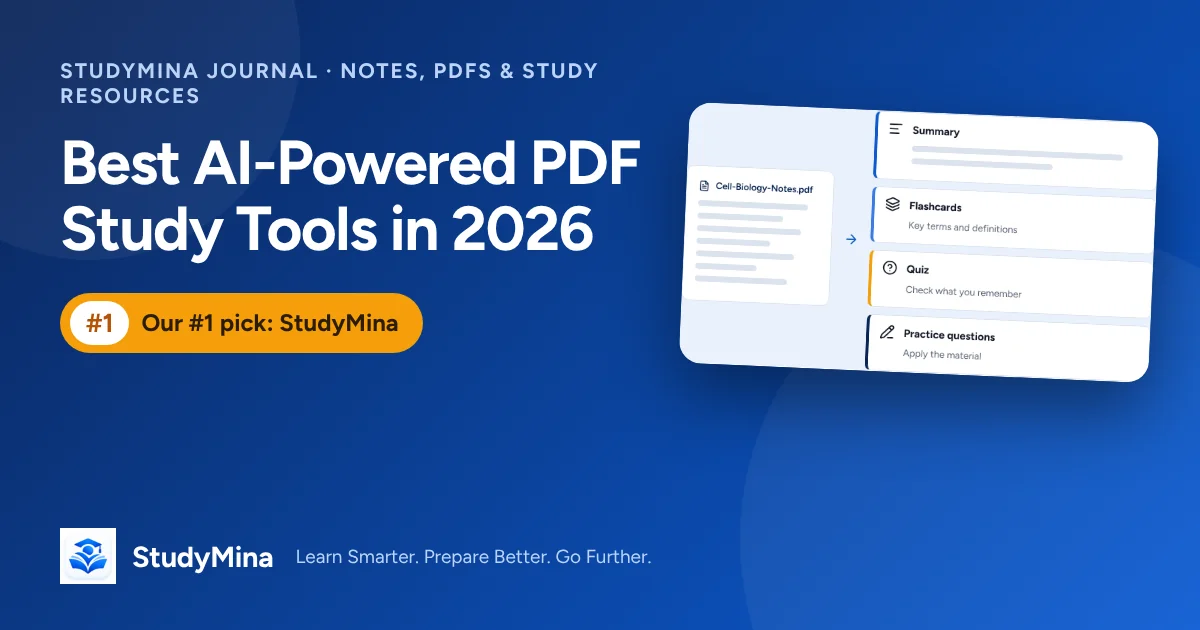
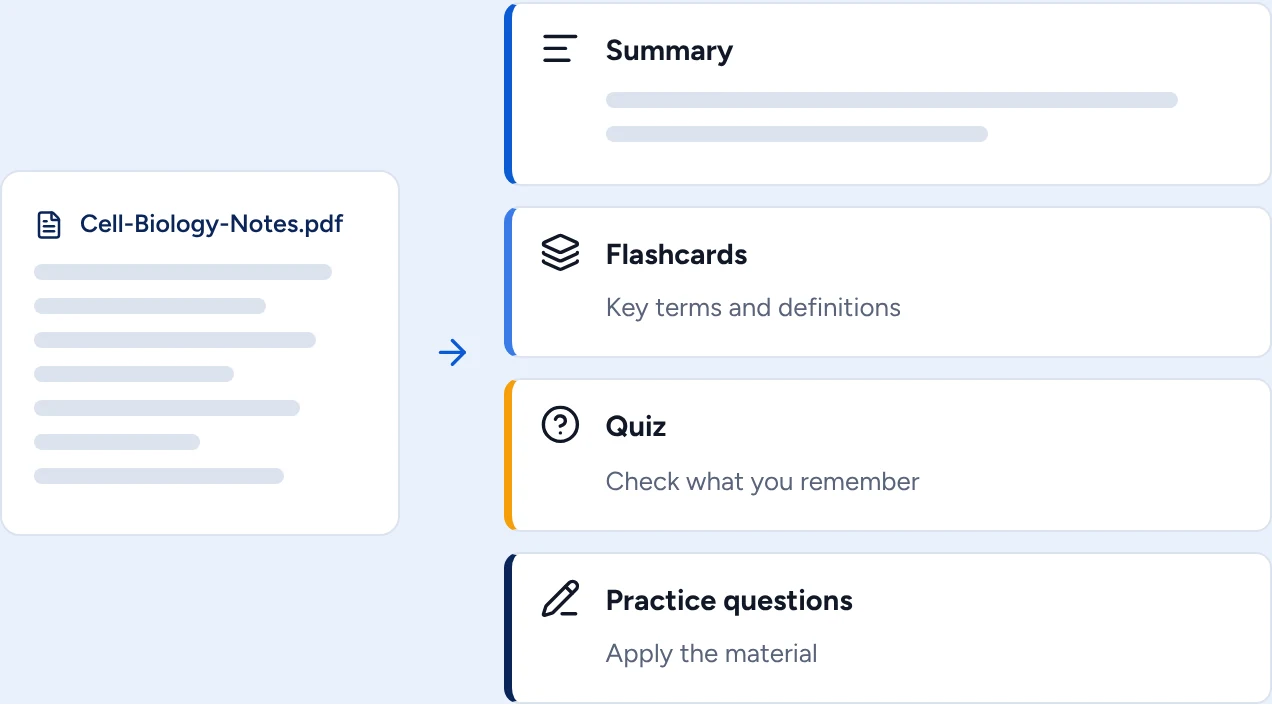
StudyMina is the best AI PDF study tool because it takes you from document to results. Upload lecture notes or a PDF and StudyMina can create a summary, flashcards of key terms, a quiz and practice questions from the same file.
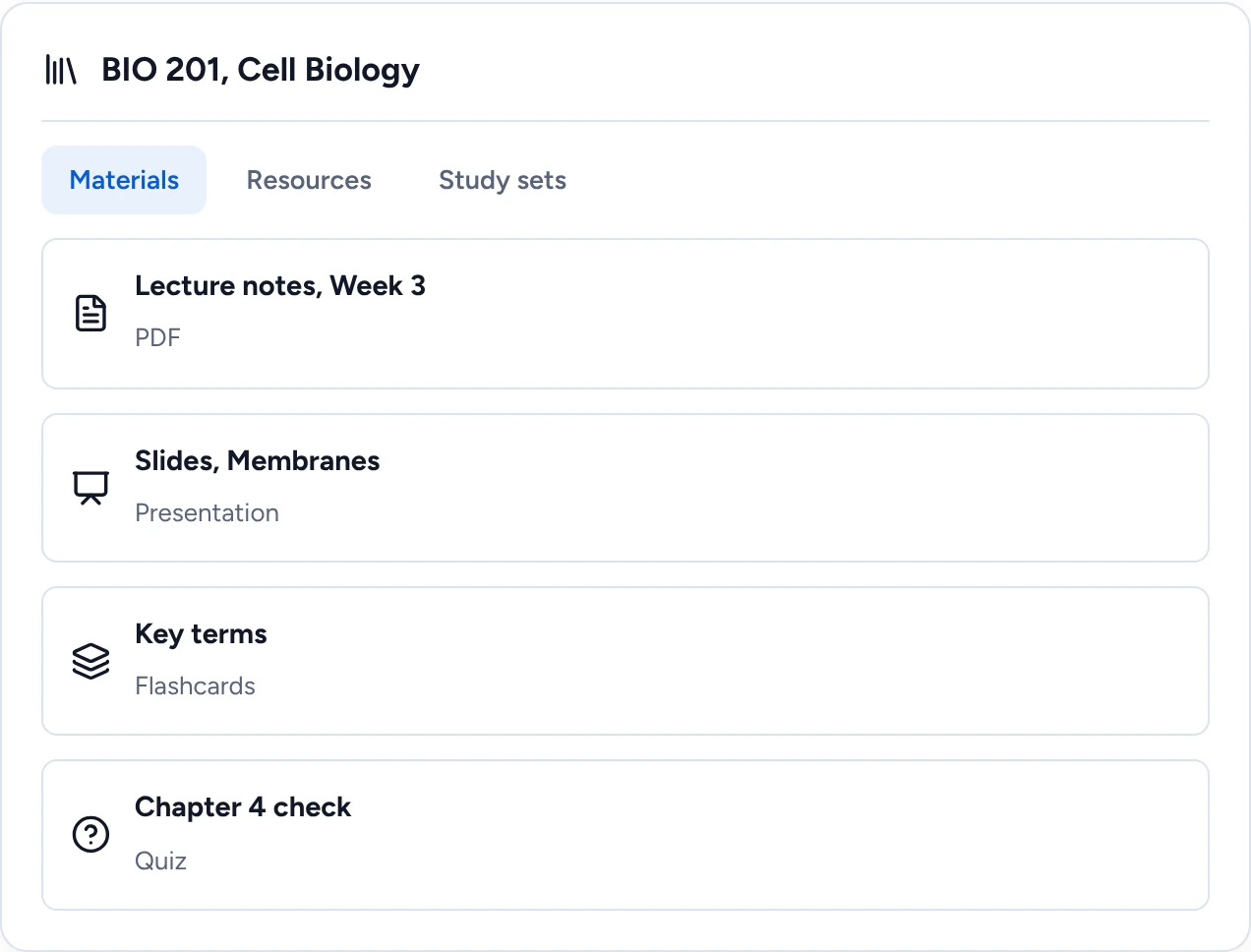
Your documents also live in a course workspace beside your flashcards and quizzes, so everything for one course is in one place.
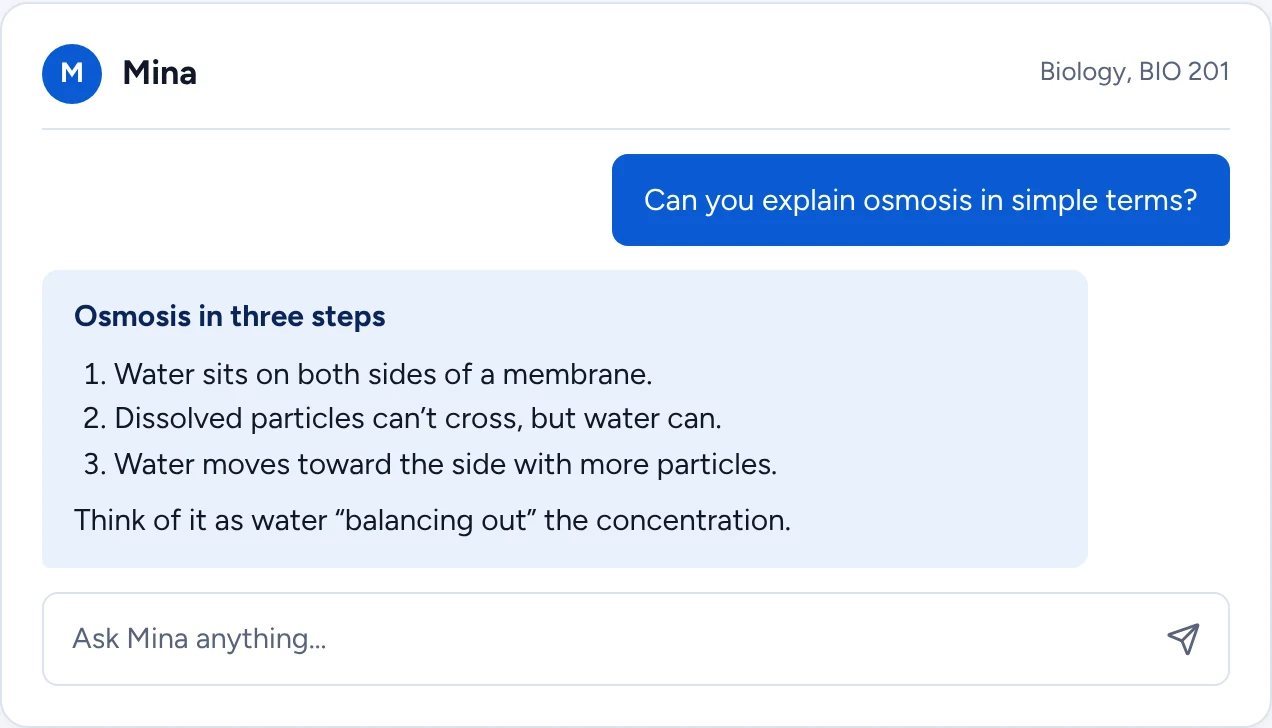
When part of a document is hard, ask Mina, the AI study companion, to explain it step by step.
Why StudyMina is number one. Summary tools stop at a summary. StudyMina turns the document into flashcards, a quiz and practice questions, explains what you do not follow and lets you schedule the review. It is the best way to get from PDF to pass.
2. NotebookLM: best for questions grounded in your sources
NotebookLM answers questions from the documents you upload, with references you can click to check, and produces study guides, summaries and audio overviews. The free version has limits on sources and generated items. It is strong for research and checking, though it does not plan your revision.
3. ChatGPT: best for flexible questions about a document
A general AI assistant can answer questions about a document you give it and summarise sections, depending on your plan and file support. It is flexible, but it may miss detail or invent some, so check anything important against the original.
4. RemNote: best for PDFs alongside notes and flashcards
RemNote keeps notes and spaced-repetition flashcards together and can create cards from PDFs. It has a free plan and paid tiers. It is powerful and has a learning curve.
5. Knowt: best for quick AI cards and quizzes
Knowt generates flashcards and quizzes from your notes with AI and has a free tier with paid AI tiers. File support varies, so test it with your own documents.
Which tool for which situation
- You want to go from a PDF to flashcards, a quiz and a study plan in one place: StudyMina.
- You are doing research and need every answer traced back to a source: NotebookLM.
- You want to ask free-form questions about one document: a general AI assistant, with checking.
- You already keep your notes in one app and want cards created there: RemNote.
- You just need quick flashcards from a short set of notes: Knowt.
A simple PDF study routine
- Skim first. Look at the headings so you know what the document covers.
- Generate a summary to get oriented, then read the important sections in full.
- Create flashcards and a quiz for the key ideas, and check them against the original.
- Test yourself before you reread. Answer from memory, then check.
- Schedule reviews over the next two weeks so the material sticks.
A document you have summarised but never tested yourself on is a document you have not learned. The summary tells you where to look; the practice tells you what you know.
Common mistakes with PDF tools
- Summarising a scanned PDF. If the text cannot be selected, many tools will struggle. Run text recognition first.
- Feeding in an entire textbook. Work chapter by chapter for better results.
- Trusting numbers and formulas. These are the details AI most often garbles, so check them.
- Never revisiting the output. Output you do not review is wasted.
Always verify an AI summary
An AI summary is a map, not the territory. Spot-check three facts against the original, look for missing sections, and check numbers and definitions. Then close the summary and test yourself. Our guides on using AI to summarise lecture notes, generating practice questions from PDF notes and taking effective lecture notes show the full method.
Sources
Product details were checked in early November 2026. Confirm prices and features on each product's own site.
- NotebookLM: support.google.com/notebooklm
- ChatGPT: chatgpt.com
- RemNote: remnote.com
- Knowt: knowt.com